Google Business Profile for Massage Therapists Who Rent a Room or Work From Home
The short answer
If you rent a room in someone else’s practice, you can have your own Google Business Profile as an individual practitioner, at that address and under your own name, as long as clients can reach you there during the hours you list. The practice keeps its own profile. If clients come to your home, Google expects that address to be shown, with a permanent sign. If you travel to clients, you’re a service-area business and you hide your address. A mailbox or virtual office isn’t eligible at all.
Google’s rules were written for a business with its own front door and a sign above it. Plenty of massage therapists, estheticians, and energy workers don’t have that. You rent a room two days a week, share a suite with an acupuncturist, or see clients in a converted studio behind your house. None of that disqualifies you from Google Maps. It does mean the setup that works for a storefront can quietly sink yours.
I’ve worked both sides of that door, as a spa manager in three cities and as the practitioner in the room. This guide shows how to set up a profile that verifies, stays live, and doesn’t disappear behind the practice you rent from. It’s the Findable pillar from Ghosted, applied to the setups Google’s guidelines barely mention.
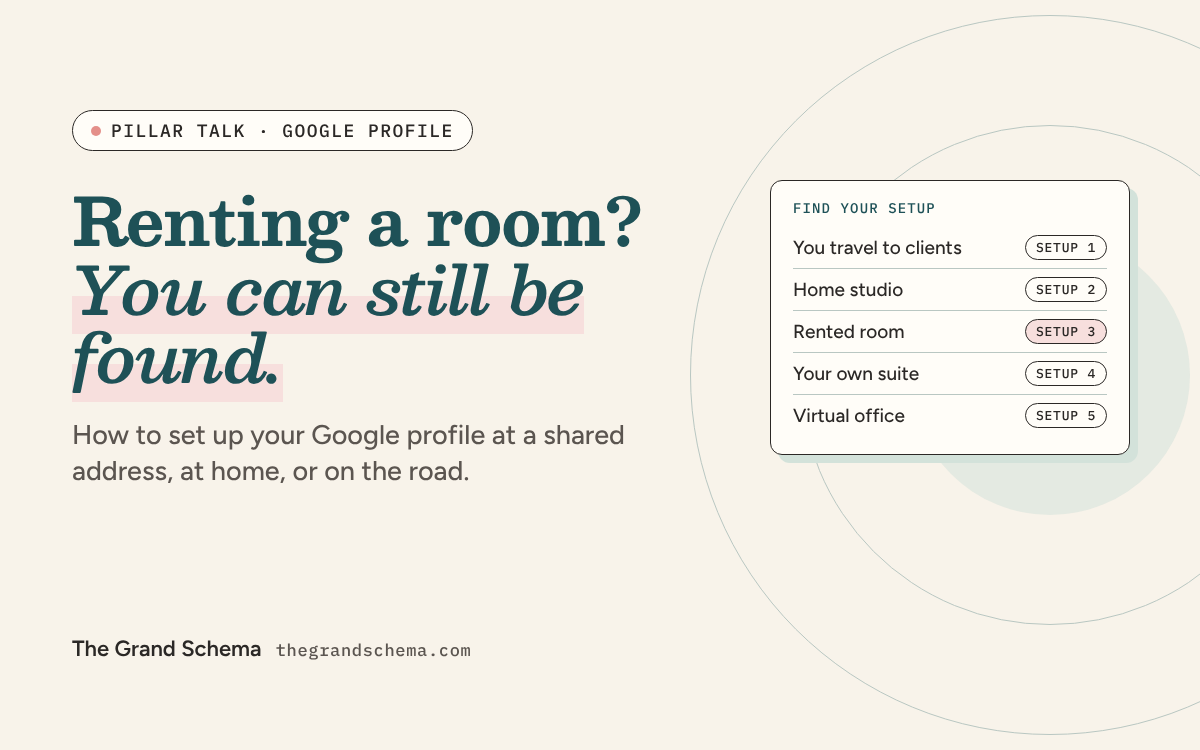
Find your setup
Five setups, five sets of rules
Pick the card that matches where your sessions happen. Each one jumps to its section.
You are hereWhere do clients get their session?
At their place. I travel to them.
Mobile practice Allowed Profile: service-area business Address: hidden Watch for: a service area wider than two hours’ driveAt my place. My place is…
Why Google is so strict about your address
Fake local listings are a real industry. A study by Google and university researchers analyzed more than 100,000 Maps listings suspended for abuse. During the study period, abusive listings captured about 0.5 percent of Google Maps impressions. Google responded by blocking bulk registrations at most addresses and demanding extra verification when a listing tries to move somewhere implausibly far away.
That’s the system your honest two-days-a-week room rental has to get past. The address isn’t only a gatekeeper, though. It does real ranking work:
How much of your ranking rides on the address
Maps impact score out of a possible 235, for the address-related factors in Whitespark’s 2026 survey.
Five of the top twelve Maps factors come down to where your pin sits. The service areas you list barely register. So when you choose where to rent, you’re choosing a big share of your ranking.
Setup 1: You travel to clients
Mobile massage, in-home facials, and house-call energy work are service-area businesses. Google’s guidelines say a service-area business should hide its address, and they use the example of a plumber who runs the business from home: clear the address from the profile.
- Set a real service area. List the towns or ZIP codes you actually travel to. Google’s guidelines say the overall area shouldn’t extend beyond about two hours of driving from your base.
- Keep the address hidden. Whitespark’s experts flagged showing an address on a service-area profile as a suspension risk.
- Don’t expect the service-area list to rank you across the metro. It scored near the bottom of the chart above. Whitespark’s founder has seen Google place hidden-address businesses at the address they verified with, so you’ll still rank best near home.
Verifying without a storefront: Google’s video instructions for service-area businesses ask you to film street signs or landmarks near home, the tools of your trade, and yourself doing the work or unlocking something only the business uses. For a mobile therapist, that’s your street sign, your folding table and linens, and your booking system.
Setup 2: Clients come to your home studio
This is the setup people most want to fudge. If clients come to your home for sessions, you serve customers at your address, so you aren’t a service-area business. Google’s guidelines expect any business showing its address to keep permanent, fixed signage with its name there.
That’s a lot to ask of a home studio, and the safety question is real for anyone who works alone. But the rules leave three honest paths:
- Show the address, with a sign. Google’s video instructions ask for the business name on a permanent fixture, like a signboard, wall, or window. A small mounted plaque at the studio entrance can do it.
- See clients somewhere else. Rent a room or suite and list that address instead, as in setups 3 and 4.
- Go mobile. If you travel to clients instead, you’re a service-area business with a hidden address.
What doesn’t work is hiding the address while clients still come to your door. That’s a service-area profile describing a storefront, and data that doesn’t add up is exactly what Google’s anti-spam systems were tuned to catch. Check your city’s home-business rules before you mount a sign.
Setup 3: You rent a room in someone else’s practice
Google calls you an individual practitioner: a public-facing professional with your own client base. You qualify for your own profile if you work in a public-facing role and clients can contact you directly at that location during the hours you list.
When several practitioners work at one location, Google’s rules say the practice gets its own profile, separate from yours. Your profile’s name is your name only, with no practice name attached.
Profile name: keep
- Your name, as it appears on your license and cards
- Your own business name, if it’s registered and on your door
Profile name: suspension risk
- “[Your name] at [the practice’s name]”
- A service or town added that isn’t part of your real name
Your hours
List the days and hours you’re actually in that room. If you’re there Tuesdays and Thursdays, your profile says Tuesdays and Thursdays. If you work purely by appointment with no set schedule, Google’s guidelines say appointment-only businesses shouldn’t list hours at all.
Your phone, website, and footprint
Use a phone number you control, not the front desk’s. Google requires the number to be under the business’s direct control. Link your profile to a page you control too, ideally your own site, not the practice’s team page, which disappears the day you leave.
When you rent, it’s easy for your whole reputation to live on the host’s website. Google’s overview of its rater guidelines says raters research the reputation of both the website and the person who created the content. Give them a trail that’s yours: your own site, your association directory listing, and reviews on your own profile.
The shared-address filter
Here’s the part nobody warns renters about. Google filters listings that look too similar. Local SEO agency Sterling Sky has found that when two businesses with the same primary category sit within about 200 feet of each other, one of them usually gets filtered for certain searches. A different floor doesn’t help: they documented a lawyer who dropped from first to sixth because of another attorney in the same building.
Same address, two searches, two different winners
You and another massage therapist rent rooms in the same day spa.
massage therapist overland park
- The day spa you rent fromDay spa
- The other renter at your addressMassage therapist
- A practice across townMassage therapist
Hidden: you. Same category, same address, less authority for this search.
lymphatic drainage massage overland park
- YouMassage therapist
- The day spa you rent fromDay spa
- A practice across townMassage therapist
Hidden: the other renter. Your specialty gives you more authority for this search.
The filter works one search at a time. Google shows whichever listing has the most authority for that keyword, so being filtered for one search doesn’t mean you’re filtered for all of them. Three things help:
- Use the category that’s truly yours. If the host is a day spa and you’re a massage therapist, your primary categories already differ. Don’t switch to a less accurate category just to dodge the filter. Primary category is the strongest single ranking factor, as Fix 2 of the 12 fixes guide explains.
- Own a specialty. Build your services, reviews, and website around the work nobody else at your address does, like lymphatic drainage or prenatal massage.
- Check it properly. Pull up the full list of results for your search, then zoom in on the map by one notch. Sterling Sky’s test: listings that only appear after zooming were being filtered.
Setup 4: Your own suite in a shared building
Salon-suite buildings and wellness collectives fall in between. Google’s rule for shared workspaces: you can’t list an office in a co-working space unless it has clear signage, receives customers during business hours, and is staffed by your business during those hours.
A suite you lease, with your own lock and your name on the door or building directory, usually meets that bar. A room you book by the hour, with nothing on the door, usually doesn’t.
- Put the suite number on address line 2, as Google’s guidelines direct.
- Expect the same filter as setup 3 if other massage therapists lease suites in your building.
Setup 5: A mailbox or virtual office
A rented mailbox, P.O. box, or virtual office address isn’t eligible for a Business Profile. Google’s guidelines say so directly, and it’s the pattern the abuse research above was built to catch. If you have no place where clients visit and you don’t travel to them, there’s no Maps listing to claim yet. Your website and professional directories still work in the meantime.
Getting verified when you don’t own the building
Many practitioners get asked for video verification. Google’s instructions ask for three things in one recording: where the business is, proof it exists, and proof you manage it. For a rented room or suite, that becomes a five-shot walk, filmed in one continuous take:
- OutsideStreet sign, building number, a neighboring business.
- Your signYour name on the door or directory, matching the profile exactly.
- Your keyUnlock your room or suite on camera.
- Your spaceYour table, linens, and tools of the trade.
- Proof you run itYour booking system, or a business document in your name.
Two details trip people up: a name on the door that doesn’t exactly match the profile, and starting inside the room with no street context. Fix both before you press record.
Before you sign a room rental
Settle these with the practice owner first. Each one is cheaper to ask than to fix.
Six questions for the practice owner
Tick them off as you go. Nothing is saved.
When you move to a new room
Rooms change. Your profile shouldn’t start over every time.
- Edit the address on your existing profileGoogle’s help pages say not to create a new profile because of a move. When you relocate and keep the same name, Google moves your reviews with you.
- Get the new sign up first, then expect to verify againChanging core details can trigger re-verification, and a new video needs a sign to film.
- Update everything else the same weekYour website, booking platform, directories, and association listing. Mismatched addresses are Fix 3 of the 12 fixes.
- Ask the old practice to remove youFrom their team page, their door, and their building directory.
Frequently asked questions
Can two massage therapists have Google Business Profiles at the same address?
Yes, if each is a public-facing practitioner who can be reached there during their listed hours. The practice keeps its own profile too. Expect Google’s filter to show only one of you for some searches, especially if you share a primary category.
Can I hide my home address if clients come to my house?
Not within Google’s guidelines. Hiding the address is for businesses that travel to clients. If clients come to you, the address is shown and Google expects a permanent sign there. If that isn’t workable, see clients somewhere else or travel to them.
Will adding a suite number stop the filter?
No. Put your suite number on address line 2 because it’s accurate, not as a filter fix. The filter works on proximity and similarity, so a different suite or floor in the same building doesn’t separate you.
What happens to my reviews if I move to a new room?
Edit the address on your existing profile instead of creating a new one. Google says reviews move with you when you relocate and keep the same business name. Expect to verify again.
Can I put LMT after my name on my profile?
Google lets practitioners include a title or degree certification, and gives Dr., MD, JD, Esq., and CFA as examples. LMT isn’t on that list. Your name alone is the safest choice unless LMT appears the same way on your sign and your cards.
Can I list my business at a salon suite or co-working space?
Only if the space has clear signage, receives clients during your business hours, and is staffed by you during those hours. A leased suite with your name on the door usually qualifies. A room booked by the hour usually doesn’t.
Keep reading
Sources
- Google Business Profile Help, Google’s guidelines for representing your business
- ACM Digital Library, A study by Google and university researchers
- Whitespark, Whitespark, 2026 Local Search Ranking Factors
- Google Business Profile Help, Google’s video instructions
- Google, Google’s overview of its rater guidelines
- Sterling Sky, Sterling Sky
- Google Business Profile Help, Google’s help pages