Do You Need a Website If You Have a Vagaro, Square, or Jane Booking Page?
The short answer
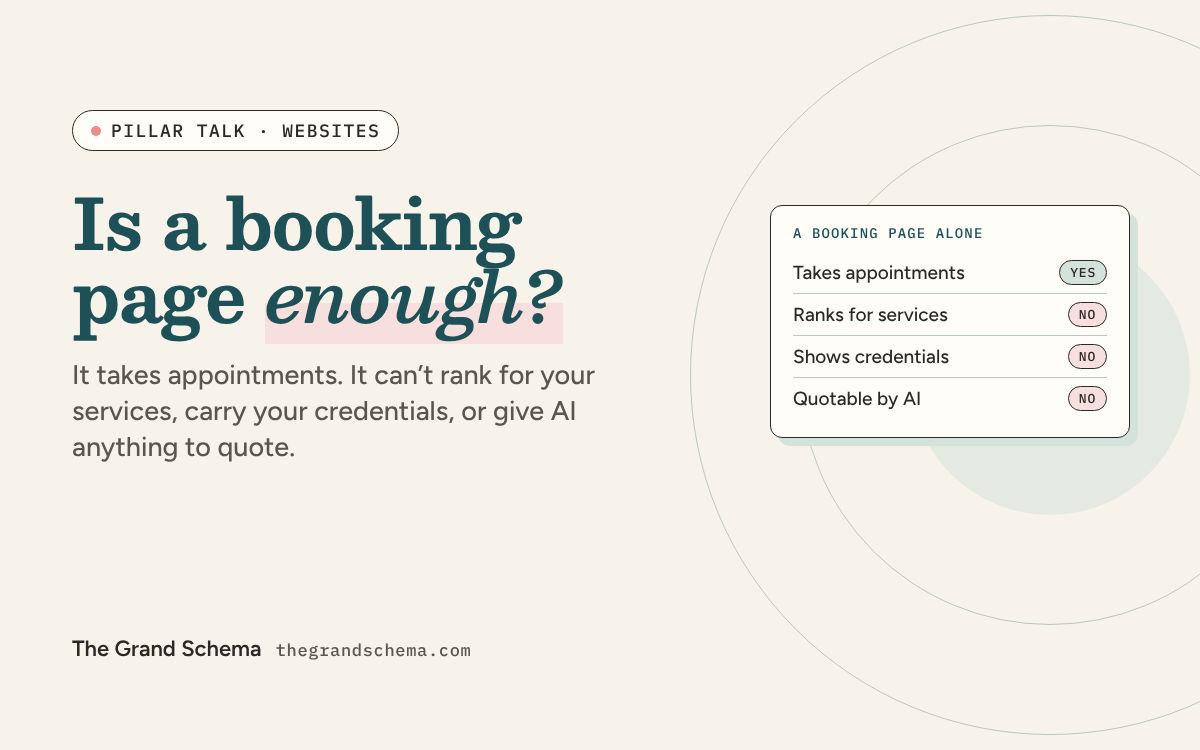
A booking page is a checkout counter, not a storefront. It takes appointments, and it usually shows up when someone searches your business name. It can’t rank for the services you want to be found for, carry your credentials, give an AI assistant anything to quote, or come with you when you change platforms. If you opened three months ago, a booking page plus a well-built Google profile is a reasonable start. Once you want clients who don’t already know your name, you need pages you control.
This question usually arrives with a note of hope in it. The booking page looks like a website. It has your name, your photo, your services, your prices, and a button that takes money. Paying for a second thing that seems to do the same job feels absurd.
I’ve built practice websites since 2017, and I spent two decades in treatment rooms before that, so I’ve watched this decision from both chairs. The honest answer isn’t “yes, always.” A booking page and a website do two different jobs, and working out which job you’re missing tells you whether to spend the money now or later.
What a booking page actually is
Three different things get called “my website,” and they behave differently:
- A booking page on the platform’s domain. Vagaro, Square, Jane, Mindbody, Booksy, and Acuity all give you one. Jane’s own guide describes it plainly: signing up creates a standalone site at yourclinic.janeapp.com, and you may also have your own clinic website to link from.
- A site built with the platform’s website builder. More control, sometimes your own domain, still their system and their rules.
- Your own site on your own domain. You control the addresses, the words, the code, and what happens to all of it if you leave.
Worth noticing: Jane now sells Jane Websites and Jane SEO as separate products. The booking page was never designed to be the website, and the company that built it says so with its own price list.
What each one can and can’t do
| What it needs to do | Booking page on their domain | Your own site | Booking page covers it |
|---|---|---|---|
| Take appointments and payment | Yes, natively | Only by linking out to the booking page | Covered |
| Show up when someone searches your business name | Usually | Yes | Covered |
| A page for each service you want to rank for | One page, total | One page per service | Not covered |
| A title tag and headings you can edit | Not yours to edit | Yes, on every page | Not covered |
| Credentials, licenses, and verification links | A bio field at best | Yes, with links to your board’s lookup | Not covered |
| Plain-text answers to client questions | Nowhere to put them | Yes | Not covered |
| Your own schema markup | The platform’s, not yours | Yes | Not covered |
| Links from other sites building authority | They build the platform’s | Yours to keep | Not covered |
| A look that isn’t identical to your competitors’ | The platform template | Yours | Not covered |
| Survives a change of platform | The URL dies | Yes, the address is yours | Not covered |
The last row is the one that costs the most and gets thought about the least. Every business card, directory listing, and social bio pointing at a platform URL stops working the day you switch platforms, and you can’t redirect a page you don’t own.
What Google does with the link you give it
Linking a booking page from your Google profile is allowed. Google’s guidelines for representing your business ask for a website that represents your individual business location, and your page on a booking platform does that. It’s legal. It’s just doing half a job.
The page your profile links to carries real weight. In Whitespark’s 2026 survey of 47 local search experts, keywords in that page’s title tag ranked 17th of 187 Maps factors, city and neighborhood relevance 18th, and keywords in its headings 20th. On a booking page you control none of those three.
You don’t have to choose, though. Google keeps the booking link in its own field. Google’s help pages on bookings cover both routes: connect a booking provider through Reserve with Google, or add your own appointment link. So the fix is a five-minute edit:
The common setup
Website: your booking page.
Appointment links: empty.
Google reads a page you can’t edit, and the ready-to-book click has nowhere special to go.
The setup that works
Website: your own site.
Appointment links: your booking page.
Google reads the page you control, and booking clicks land straight on your calendar.
Booking fields depend on your category and country, so check what your profile offers. If a booking page is all you have today, leave it in the Website field for now and move it when your site goes live.
Why AI assistants skip booking pages
Booking platforms load their content with JavaScript. Vercel and MERJ’s analysis of crawler traffic found that none of the major AI crawlers from OpenAI, Anthropic, Meta, ByteDance, or Perplexity run JavaScript. Google’s Gemini uses Googlebot’s rendering, so it can. Everything else gets an empty shell where your services and prices should be, as Fix 5 of the 12 fixes guide shows.
Even when a crawler can read it, there’s little to quote. A booking page lists service names, durations, and prices. It doesn’t explain who lymphatic drainage is for, what happens in a first session, or why someone would choose it over a deep tissue massage. Eleven’s 2026 analysis of AI visibility found the strongest predictors were pages that earn real impressions and clicks, plus links from other sites. Both of those need pages you own. (I’ve written for Eleven.)
The trust problem nobody budgets for
In a Stanford study of 2,684 people judging the credibility of live websites, the most frequently mentioned factor was the site’s design look, appearing in 46.1 percent of comments. For health sites it was 41.8 percent. People decide whether to trust you partly on how the page looks, before they read a word of it.
Your booking page looks exactly like every other practice on that platform. That’s fine at the moment of booking, when the person has already decided. It’s expensive at the moment of choosing, when they haven’t.
Wellness also sits in what Google calls Your Money or Your Life territory. Google’s search quality rater guidelines treat trust as the most important part of E-E-A-T, and untrustworthy pages get low ratings no matter how expert they look. A booking platform’s bio field can’t hold your license number, your training, your issuing bodies, or a link to a state board lookup. Fix 7 covers what that section should say.
Three reasons this feels fine when it isn’t
- “My booking page comes up when I Google myself.” So does everyone’s. Searching your own business name tests nothing, because Google already has a perfect match for a name nobody else uses. The test that matters is your service plus your town, in a private window, as Fix 1 describes.
- “All my clients come from social media anyway.” Then your front door belongs to a company that can change the rules, the reach, or your access to the account. A site you own is the one channel nobody else can switch off.
- “I’ll build one when I’m busier.” This is the expensive one. Pages take months to earn rankings, so the site you build in a quiet season is the one that fills the next one. Waiting until you’re busy means waiting out that ramp while you’re quiet again.
When a booking page alone is genuinely fine
I’d rather you spend $200 on a domain and a good Google profile than thousands on a site you don’t need yet. Find yourself below.
-
You opened last month
Booking page is fine
- Right now
- You have a calendar, a handful of clients, and no spare cash.
- What it means
- A site would sit unvisited while your profile does the work.
- Next step
- Buy the domain, then put your money into your Google profile and your first twenty reviews.
-
You’re full from referrals
Booking page is fine
- Right now
- People arrive already knowing your name.
- What it means
- Search isn’t feeding you, so search isn’t your bottleneck yet.
- Next step
- Own the domain, so the day referrals slow down you aren’t starting from zero.
-
You want strangers to find you
You need pages
- Right now
- You want the search for your service in your town.
- What it means
- Ranking for lymphatic drainage takes a page about lymphatic drainage.
- Next step
- Build the five pages below, starting with your highest-value service.
-
You might switch platforms
You need your own address
- Right now
- Your booking URL is on cards, listings, and every profile you have.
- What it means
- All of it breaks the day you move, with no way to redirect.
- Next step
- Get a domain first, then move the links to it once, for good.
If you rent a room and the host practice lists you on their site, add one more reason to the pile: their team page disappears the week you leave. The guide for renters covers the rest of that arrangement.
The five-page minimum
You don’t need a twenty-page site. You need five pages that say true things clearly.
- HomeWhat you do, where you do it, and who it’s for, in the first paragraph. A booking button near the top that goes to your platform.
- One page per service that pays the billsNot a list. A page each, with what it’s for, what happens, how long it takes, what it costs, and who should check with a doctor first. A dedicated page for each service was the top local organic factor in Whitespark’s 2026 survey.
- About, with receiptsYour training, your licenses with numbers, the issuing bodies, and links to public verification where your board offers it.
- AnswersThe six to ten questions clients ask before booking, in plain text on the page rather than inside a widget.
- Contact and locationName, address, phone, and hours written exactly as they appear on your Google profile, plus parking and accessibility.
Keep the booking widget if you like it. Just make sure the same services and prices also appear as ordinary text somewhere a crawler can read them.
What to buy, and in what order
- The domain, first and in your own name. It’s the only asset in this whole discussion that appreciates. Register it yourself rather than letting a platform or a designer hold it, and note the renewal date somewhere you’ll see it.
- Then five pages, on whatever you’ll actually maintain. WordPress, Squarespace, or your booking platform’s builder can all rank when the words and the structure are right. The platform matters far less than practitioners are told.
- Then the two Google profile fields from the section above, so your new pages get the traffic they were built for.
- Answers and articles last. They compound, but only on top of pages that already exist.
Frequently asked questions
Will my Vagaro or Square page rank for my services?
For your business name, often yes. For a competitive service search like massage or facials in your town, it’s up against real practice websites without the tools that win those searches: an editable title, headings, a page per service, and schema. You can’t add what the platform doesn’t give you.
Should my Google profile link to my website or my booking page?
Your website goes in the Website field and your booking page goes in the Appointment links field. Google keeps them separate for exactly this reason. If a booking page is all you have today, put it in the Website field for now and move it when your site is live.
Is it bad to use my booking platform’s website builder?
No, as long as you use your own domain and know the trade-off. You get a real site faster and cheaper. You give up some control over page structure and markup, and moving later means rebuilding the pages, though you keep the address.
Can I point my own domain at my booking page?
Most platforms allow it, and it beats nothing, because the address becomes yours. It doesn’t fix the rest. You still have one page, no service pages, no credentials section, and no control over what search engines read.
Do I need a blog?
Not to start. Five solid pages beat five pages plus a blog abandoned in March. Once the pages exist and hold their rankings, articles answering real client questions are the next lever.
What about Reserve with Google?
If your booking provider supports it, it puts a booking button on your profile and lets people schedule without leaving Google. It’s worth turning on. It changes nothing about whether you need pages of your own, and it comes with your provider’s terms as well as Google’s.
Keep reading
Sources
- Jane, Jane’s own guide
- Google Business Profile Help, Google’s guidelines for representing your business
- Whitespark, Whitespark’s 2026 survey
- Google Business Profile Help, Google’s help pages on bookings
- Vercel, Vercel and MERJ’s analysis of crawler traffic
- Eleven (I’ve written for Eleven), Eleven’s 2026 analysis of AI visibility
- ACM Digital Library, A Stanford study of 2,684 people
- Google, Google’s search quality rater guidelines